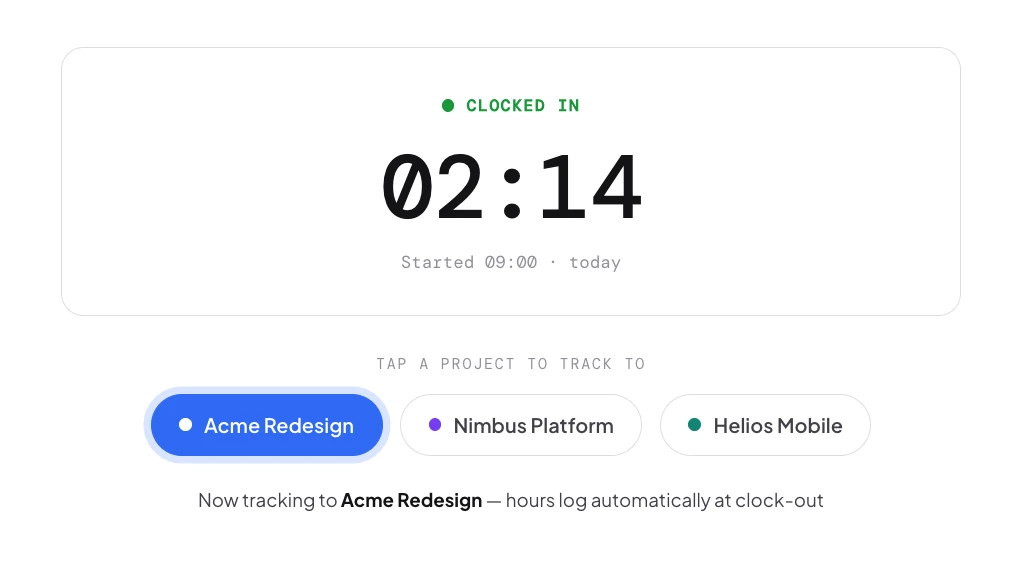
Clock in, tap a project — done.
Switch projects mid-day with one tap. Hours are calculated at clock-out and split across projects automatically. No timers to start, no manual entry — your team just works while Asa tracks where the hours go.
Track hours across projects, manage team allocations, monitor budgets, and generate client-ready reports — all without disrupting how your team works.
From one-tap project clock-in to drag-to-allocate calendars and live budget burn — Asa keeps every billable hour accounted for, without slowing the team down.
Switch projects mid-day with one tap. Hours are calculated at clock-out and split across projects automatically. No timers to start, no manual entry — your team just works while Asa tracks where the hours go.
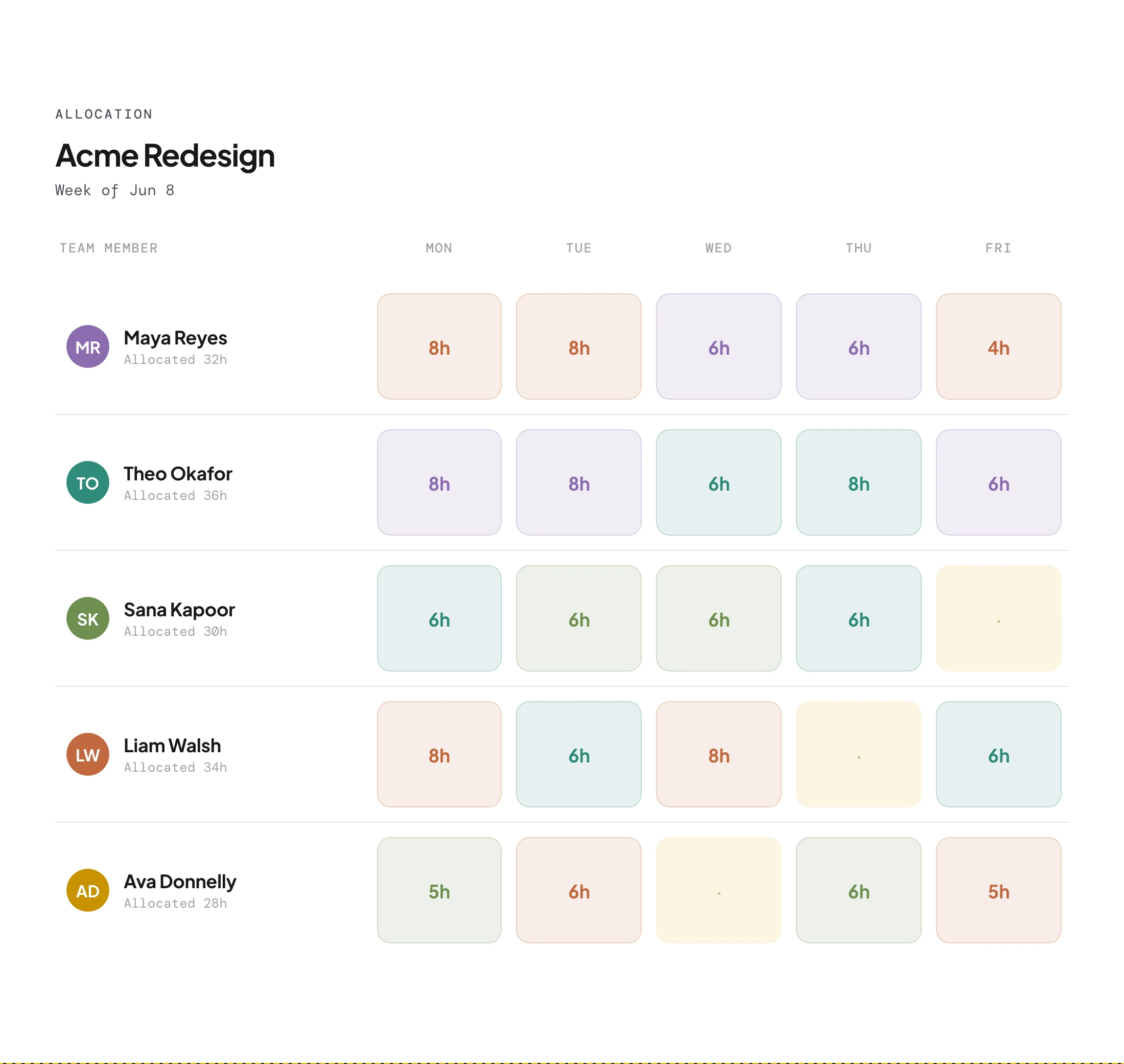
Drag-select days on the allocation calendar to assign hours in bulk, or double-click a single day for quick edits. Perfect for retroactive logging, planning ahead, or end-of-week time entry.

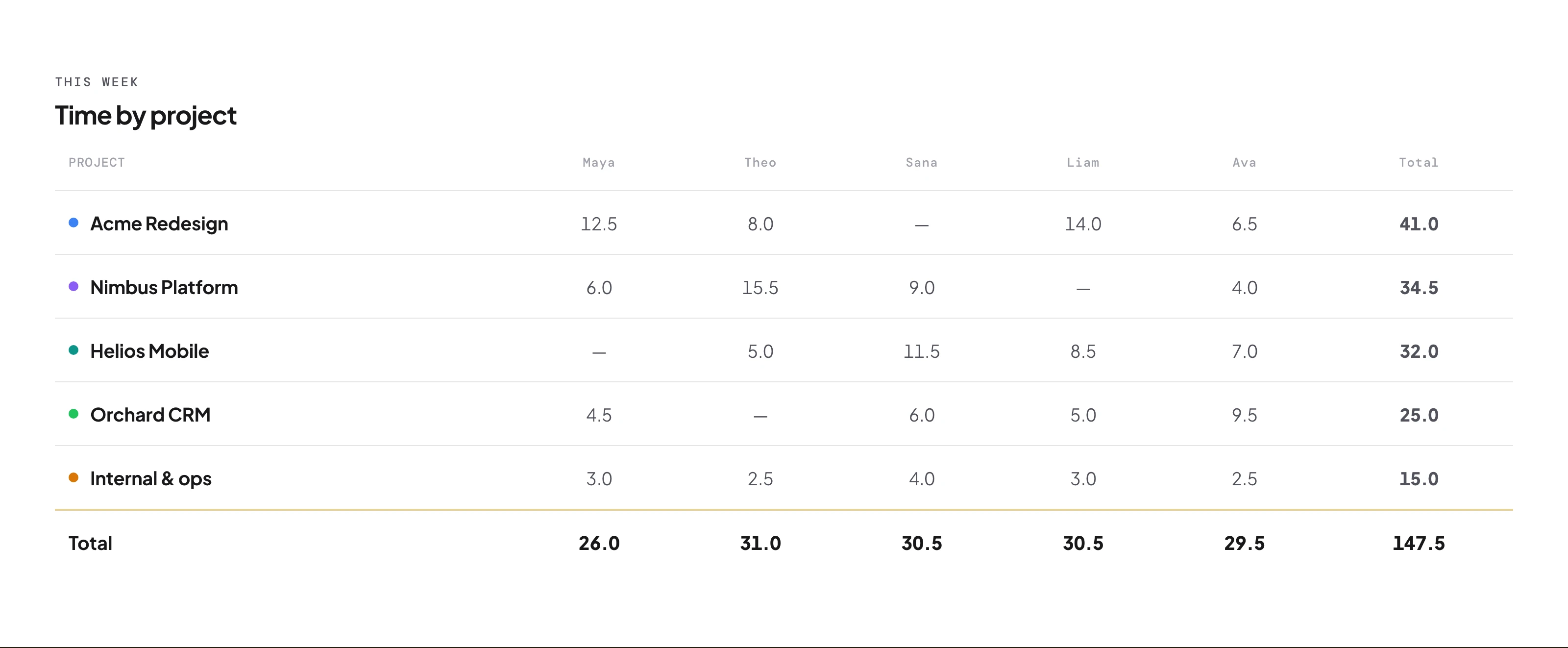
The project pivot table breaks hours down by project and team member, with summary cards for total hours, active projects and team size. Expand any member to see their allocation calendar.

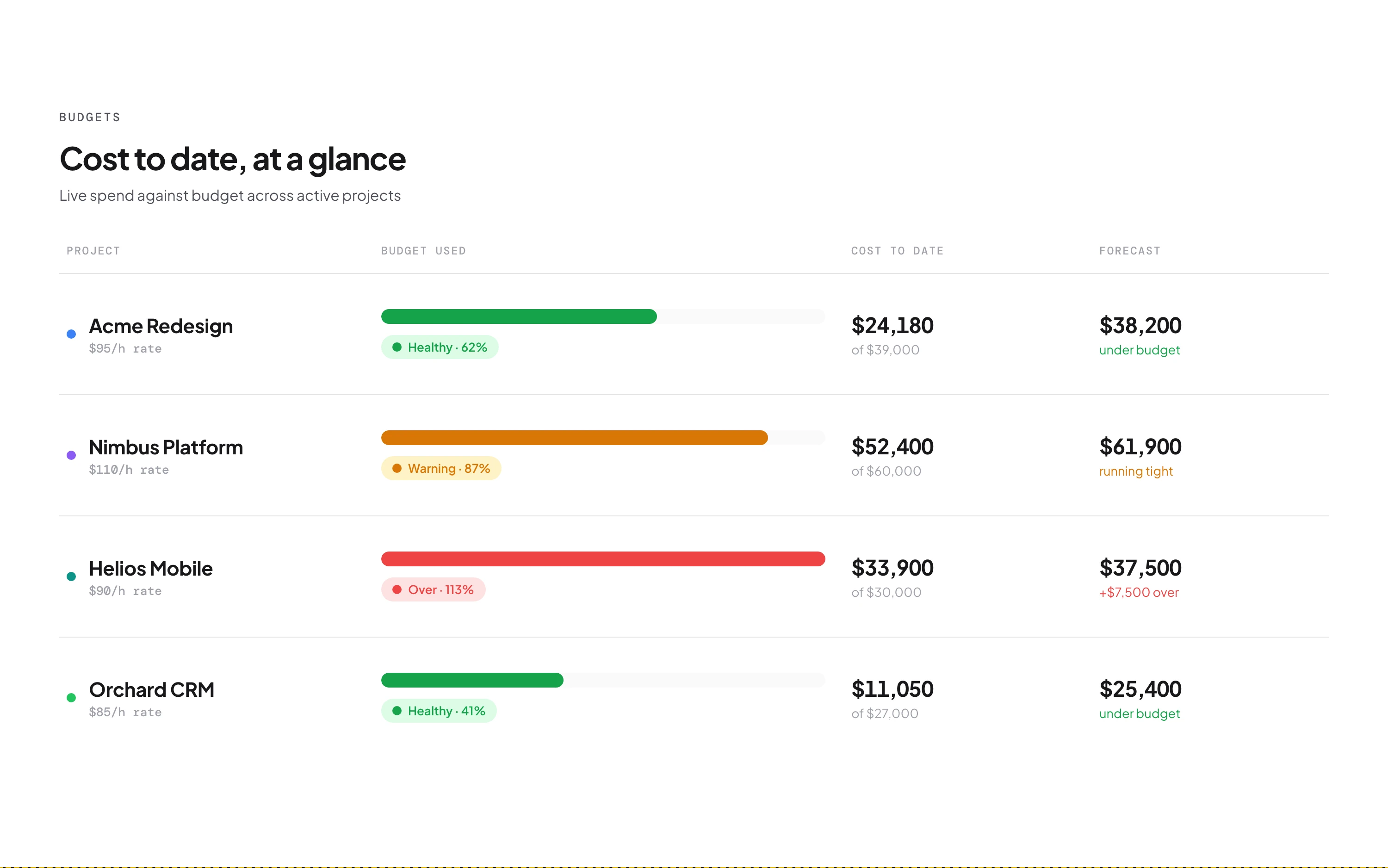
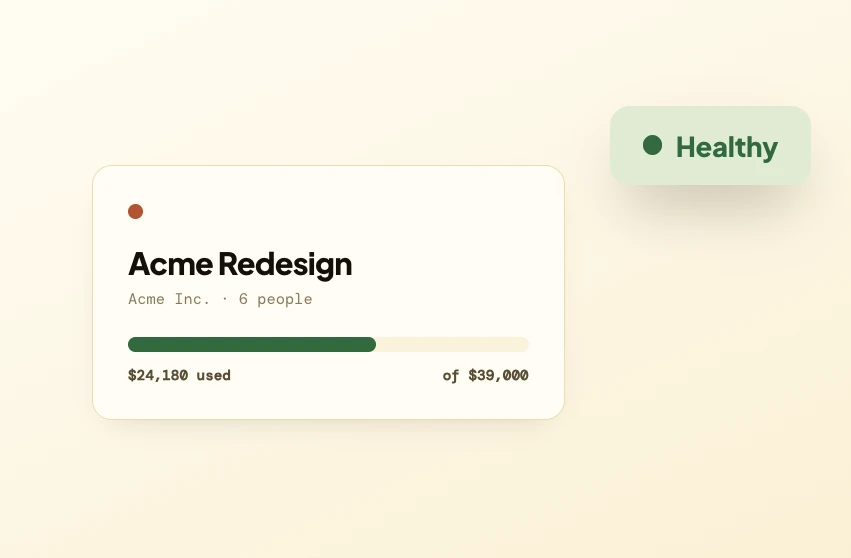
Set hourly or fixed-price budgets per project. Progress bars warn at 80% and alert when over budget. Export detailed CSV reports for client billing, payroll or internal reviews.

It lets you assign hours to specific projects so you know exactly where your team's time goes — in real time by selecting a project at clock-in, or retroactively by logging hours after the fact.
A monthly view where you click or drag to select days, then assign project hours to all of them at once. Each day shows coloured chips for allocated projects; double-click any day for quick single-day editing.
Yes. Project allocation is independent of clock-in data — manually log project hours for any day using the allocation calendar or the project hours editor, even with no clock data.
Set an hours limit or a fixed dollar amount per project. Asa tracks progress with visual indicators — green under 80%, amber at 80–100%, red when over. Available on Growth and above.
Budget tracking is admin-only. Members see which projects they're assigned to and log their own hours, but budget amounts, progress and alerts are visible to admins only.
Allocate hours to multiple projects on the same day. In real-time, switching projects mid-day splits hours by session duration; logging manually, just assign different amounts to each.
Admins assign one project to multiple team members for a date in one action — useful for company-wide project days. It only applies to members who haven't already self-allocated that day.
CSV, filtered by project, date range and team members. Exports include daily breakdowns with member names, hours per project and totals — ready for client billing or payroll.
The Starter plan includes project tracking with up to 3 active projects, bulk allocation and reports. Project budgets are available on Growth and above.
Create your first project in Company Settings — just a name and colour. Then your team selects projects at clock-in, or uses the allocation calendar to log hours retroactively.
Create a project in under a minute, point your team at it, and watch the budget keep itself. Free for up to 5 people.