01
Employee review
Catch errors before they cost you.
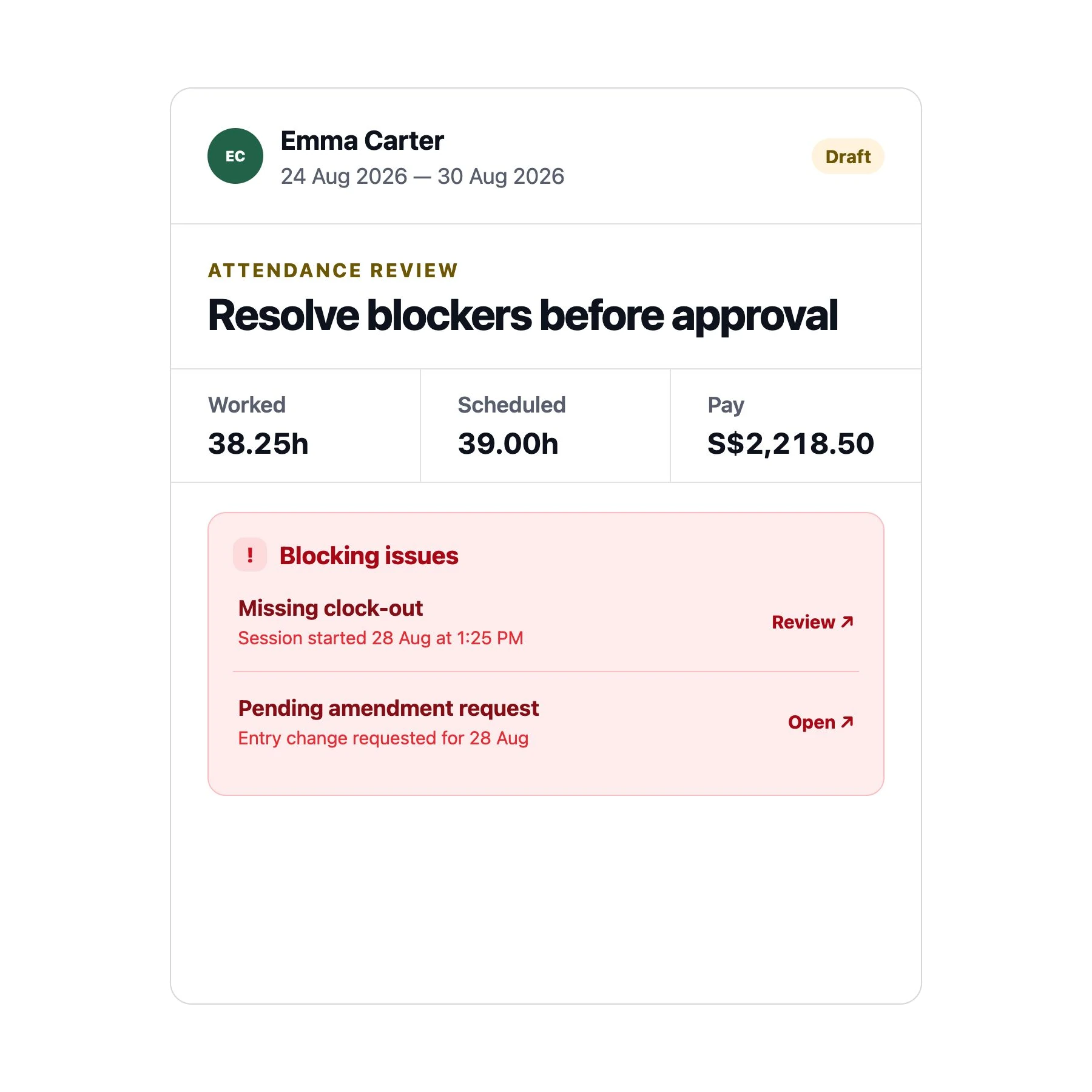
Unsafe attendance, unresolved amendments, and clock-entry issues surface as clear blockers, not silent gaps. Nothing slips through unnoticed, so what you review is what actually happened.
Turn attendance, schedules, leave, and pay rates into a clean, review-ready pay run — with every discrepancy caught before you export, not after.
Keep the workflow small and understandable: choose a period, review the people and hours, lock the run, then export from the frozen result.
Unsafe attendance, unresolved amendments, and clock-entry issues surface as clear blockers, not silent gaps. Nothing slips through unnoticed, so what you review is what actually happened.
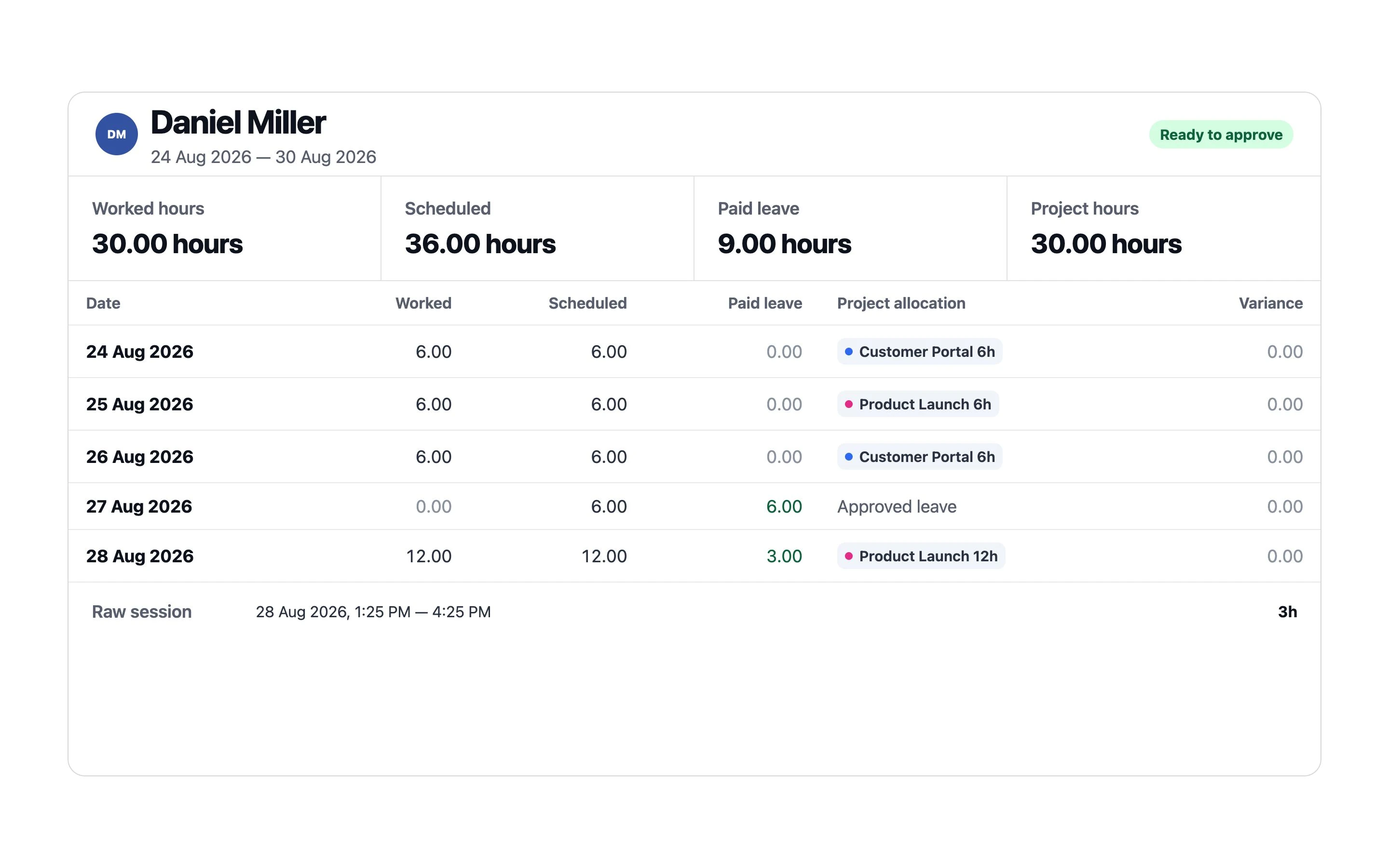
See worked hours, overtime, paid leave, variance, and estimated gross pay per employee — alongside raw sessions and daily activity. No more piecing together data from five different tools.
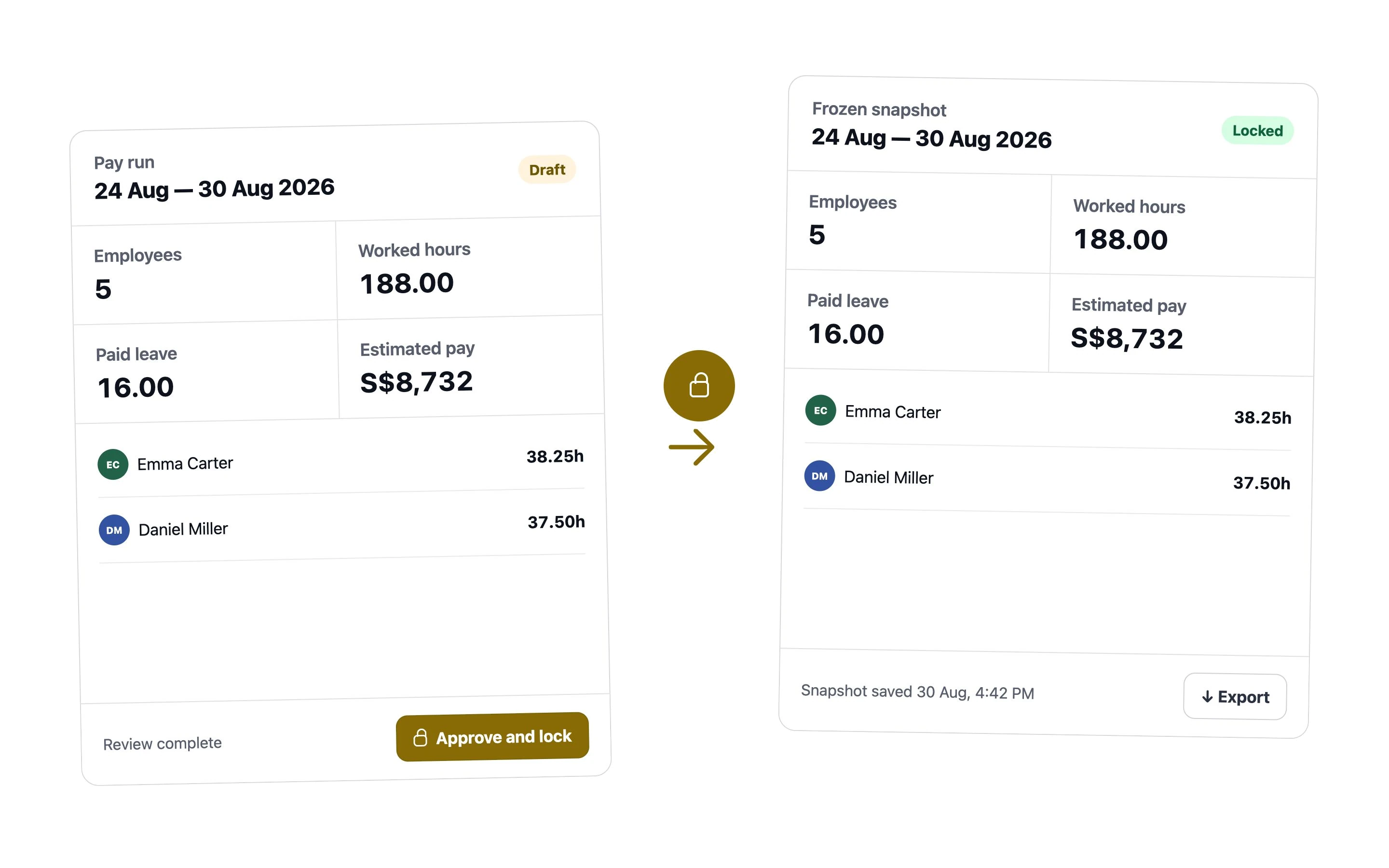
Approve and lock a draft to freeze the exact reviewed snapshot. Later changes to schedules or attendance can’t quietly alter numbers you’ve already signed off on.
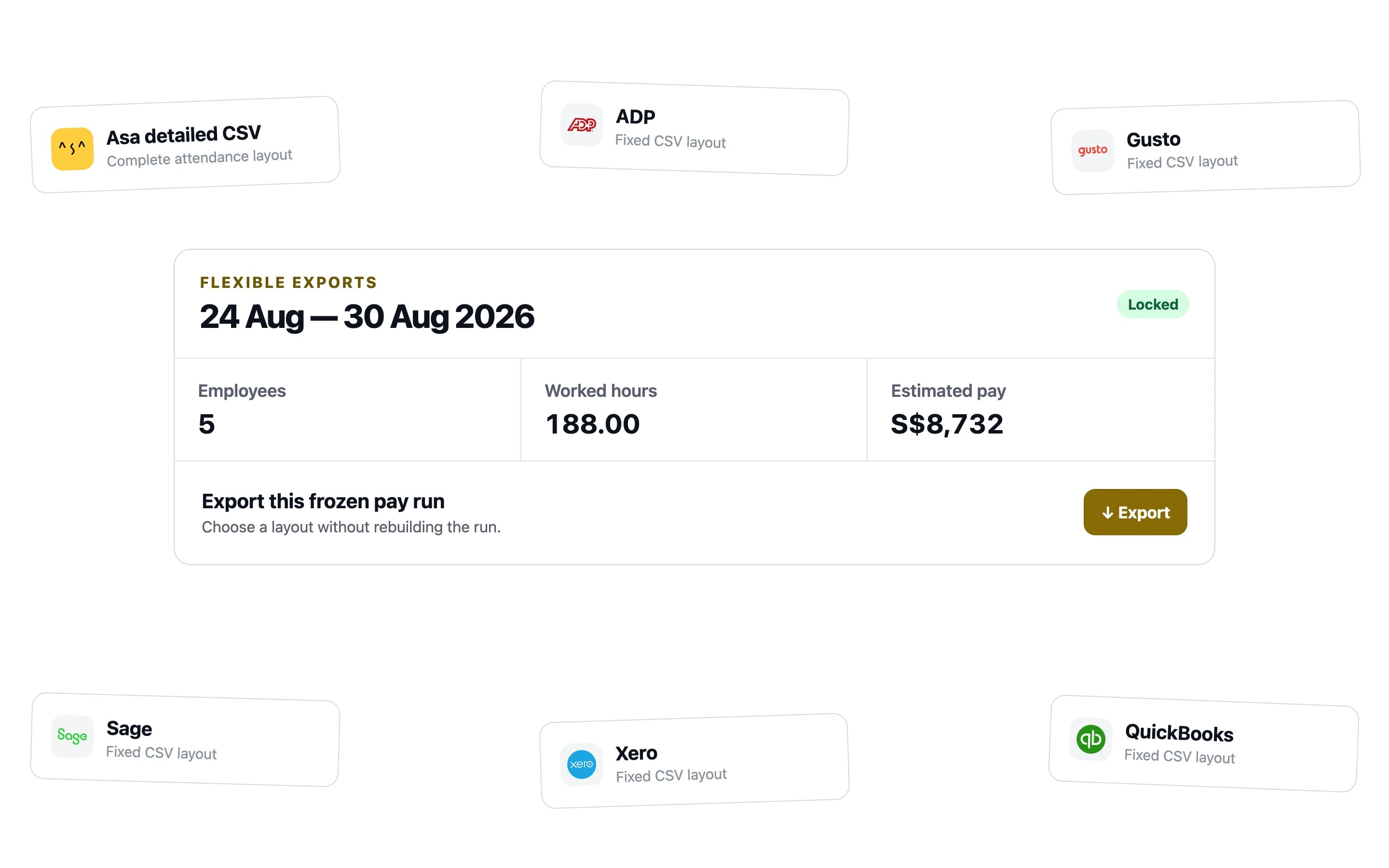
Download your finalized run in CSV, ADP, Gusto, QuickBooks, Xero, or Sage layouts — and re-download in any format whenever you need it, without redoing the work.
No. Asa prepares attendance-derived payroll inputs and fixed CSV layouts. It does not calculate or file taxes, issue payslips, move money, or submit payroll to a provider.
Each run includes every employee in scope, worked hours, regular and overtime classifications, paid leave, optional hourly rates, estimated gross pay, attendance issues, and the raw work sessions used for review.
Asa freezes the exact reviewed snapshot. The employee rows and hours remain unchanged for later downloads, and exported runs cannot be reopened and silently recalculated.
You can download Asa detailed CSV plus fixed ADP, Gusto, QuickBooks, Xero, and Sage layouts. These are convenience layouts, not certification that a provider will accept every file unchanged.
Yes. Every supported format remains available from the same frozen run. The first export remains recorded for byte-identical reproduction, while later formats do not alter the locked snapshot.
Yes. In addition to the proposed weekly, biweekly, semimonthly, or monthly schedule, administrators can create a draft for a custom date range and review it in the pay-run history.
Blocking issues remain visible beside the affected employee and prevent locking. Correct the underlying timesheet or attendance record, refresh the draft, and review the complete run again.

Bring approved attendance into one clear pay run, lock the result you reviewed, and download the layout your next step needs.