समय ट्रैकिंग · सर्वांगीण

समय track करें
बिना झंझट के।

Slack, Microsoft Teams, Telegram और web पर effortless टाइम ट्रैकिंग। Automatic timesheets, smart attendance और built-in amendment workflows — ताकि clock खुद चलता रहे।

किसी भी chat से clock inऑटो टाइमशीट्स5 के लिए मुफ्त
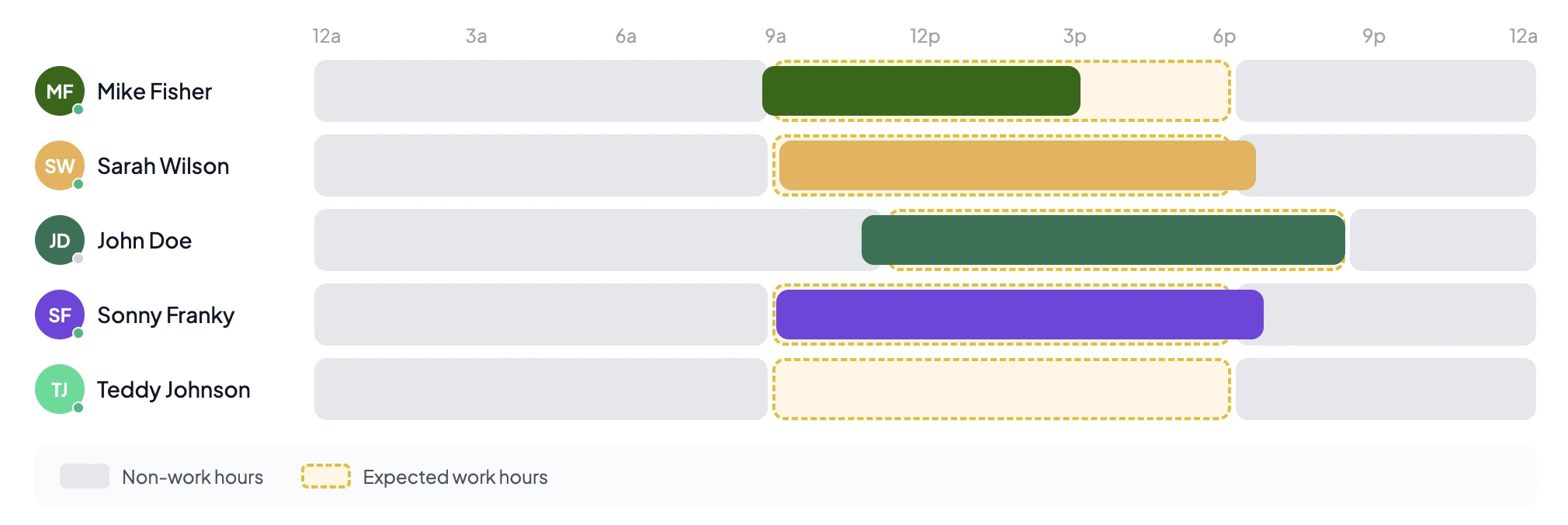
Team activity — hours worked across the team
अंदर क्या है

पूरी टीम के लिए
एक clock

आपकी टीम जो पहले से उपयोग करती है, टाइम ट्रैकिंग एक tap और zero nagging होनी चाहिए। यहाँ देखें Asa कैसे बिना micromanage किए attendance को honest रखता है।

01
बहु-प्लेटफॉर्म

Clock in करें जहाँ आप पहले से हैं

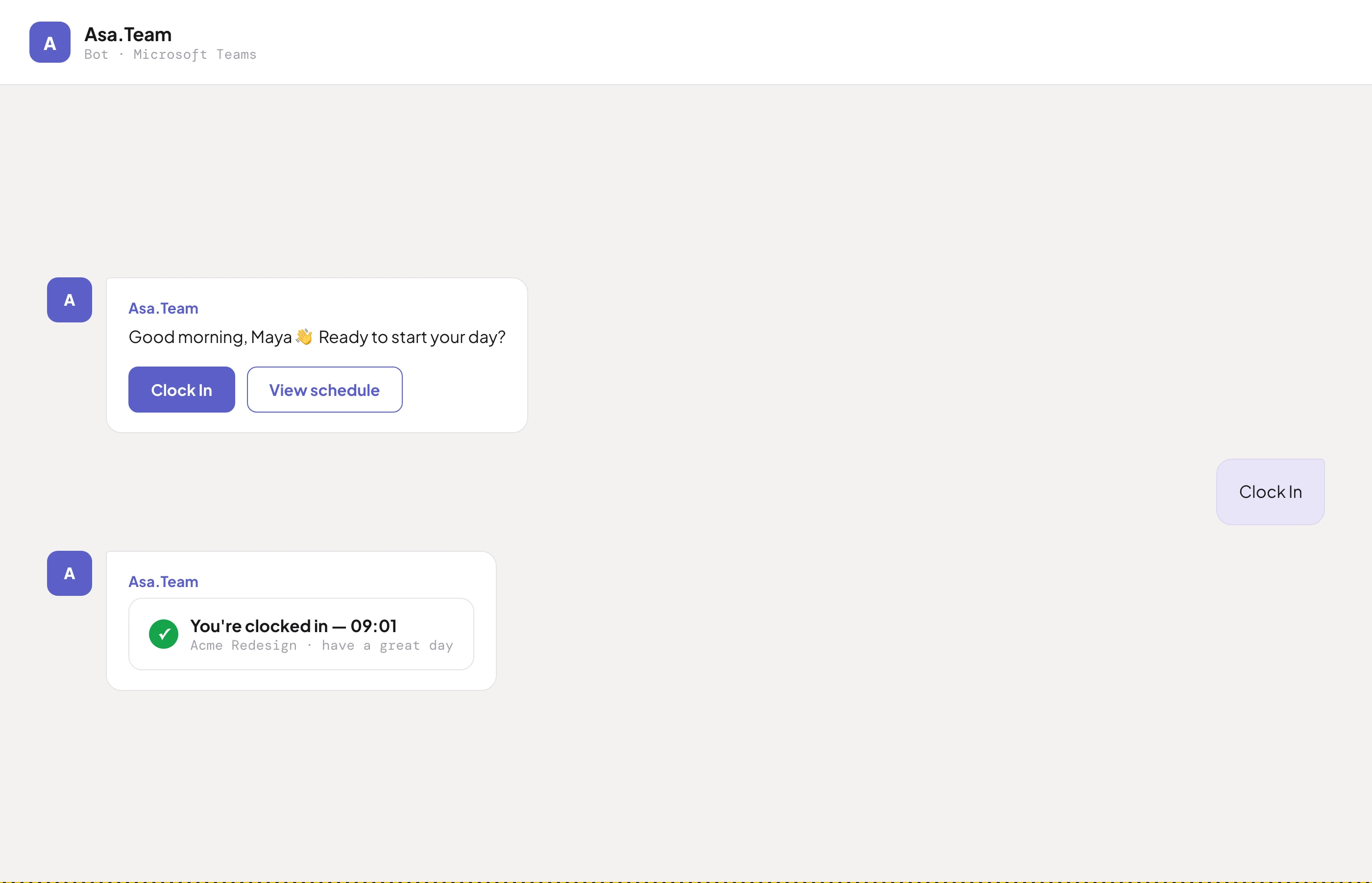
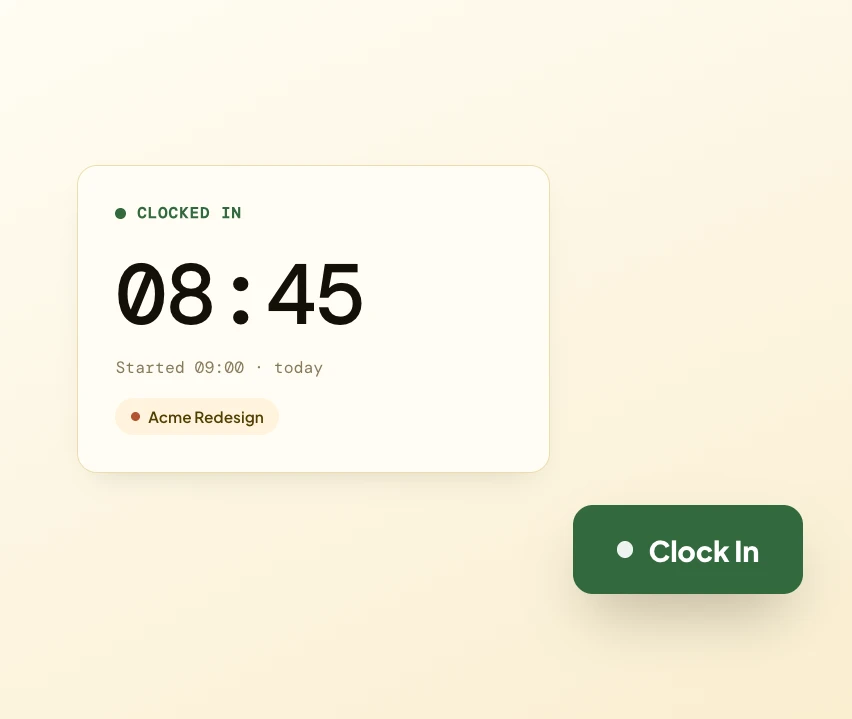
आपकी टीम Slack, Microsoft Teams, Telegram या web से clock in करती है — जो भी वे पहले से उपयोग करते हैं। हर entry real time में sync होती है, जिससे attendance के लिए एक ही सच्चाई मिलती है।

SlackSlackMicrosoft TeamsTeamsTelegramTelegramAsa.TeamWeb
Clock in / out interface inside Microsoft Teams
Automatic monthly timesheet
02
ऑटो टाइमशीट्स

Timesheets जो खुद भर जाती हैं

कोई manual entry नहीं। हर clock in और out accurate monthly timesheets automatically बनाता है — फिर एक click में payroll के लिए ready-to-use CSV export करें।

03
समयानुवर्तिता

Trend देखें, micromanaging छोड़ें

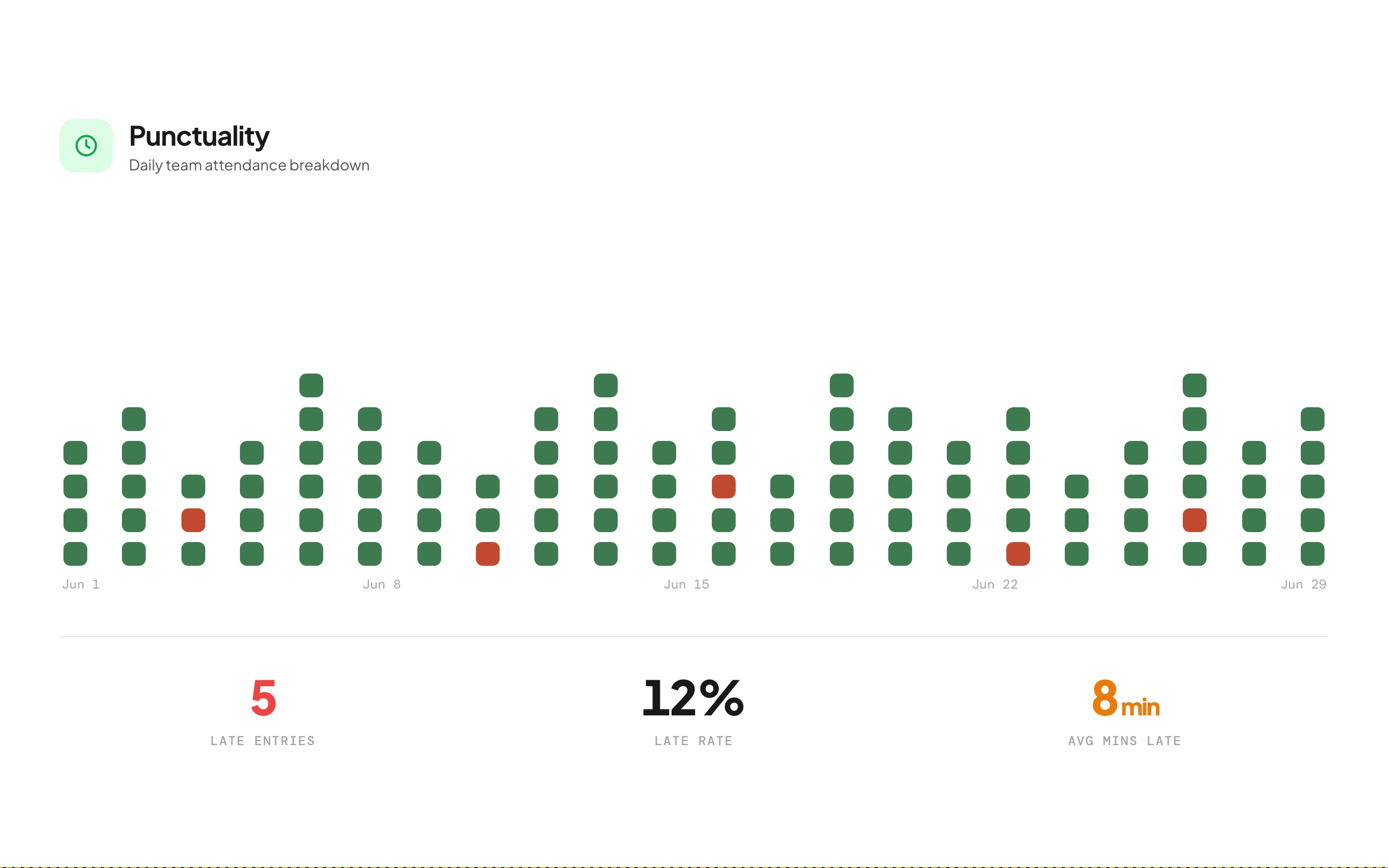
Configurable grace periods और automated late alerts के साथ attendance track करें। Team members के clock in होने पर real-time notifications पाएं और punctuality trends देखें — व्यक्तियों को नहीं।

Punctuality dashboard with on-time percentages
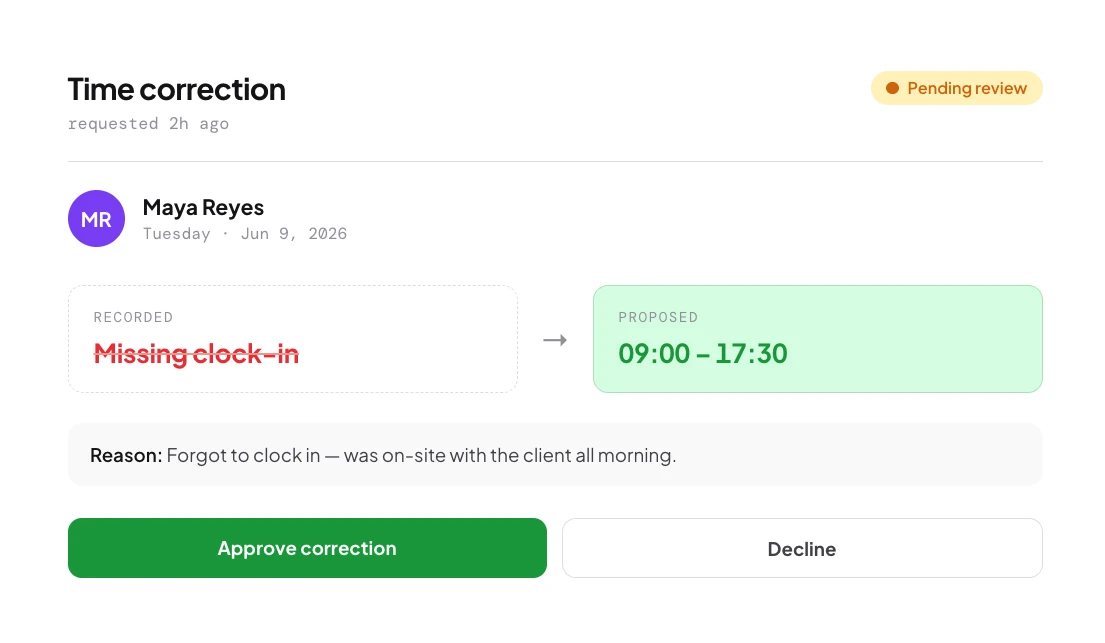
Submit and approve a time correction in a few taps
04
संशोधन

Clock in करना भूल गए? एक tap में ठीक करें

Team members कुछ clicks में कारण के साथ time-correction requests submit करते हैं। Managers एक dedicated queue से review और approve करते हैं — सब tracked, auditable और transparent।

छोटी टीमों के लिए एकदम सही

5 team members तक मुफ्त शुरू करें। कोई क्रेडिट कार्ड नहीं।

Time Tracking FAQ

जानना ज़रूरी है।

Multi-platform टाइम ट्रैकिंग कैसे काम करती है?+

आपकी टीम Microsoft Teams, Slack, Telegram या web app से clock in और out कर सकती है — जो भी वे पहले से उपयोग करते हैं। सभी entries real time में sync होती हैं, इसलिए platform की परवाह किए बिना attendance के लिए एक ही source of truth है।

क्या timesheets automatically generate होती हैं?+

हाँ। हर clock in और out automatically accurate monthly timesheets बनाता है बिना manual entry के। दैनिक, साप्ताहिक या मासिक summaries देखें, और payroll या compliance के लिए CSV export करें।

Smart punctuality tracking क्या है?+

Asa grace periods के साथ configurable schedules के अनुसार clock-in times monitor करता है। Team members के clock in होने पर real-time notifications मिलती हैं, और dashboard on-time percentages और late trends दिखाता है — बिना micromanaging के।

Time amendment requests कैसे काम करते हैं?+

अगर कोई clock in करना भूल जाए या गलती करे, तो वे कारण के साथ correction request submit करते हैं। Admins एक dedicated queue से review और approve या reject करते हैं। सब tracked और auditable है।

क्या मैं अलग-अलग team members के लिए custom schedules set कर सकता हूँ?+

हाँ। अलग start times, end times और work days के साथ custom schedules assign करें। Free Starter plan 3 members तक custom schedules support करता है; Growth और ऊपर unlimited है।

मैं कौन सी reports export कर सकता हूँ?+

दैनिक, साप्ताहिक और मासिक timesheet reports CSV के रूप में — clock-in/out times, कुल घंटे, punctuality status और break durations सहित, payroll या compliance audits के लिए ready।

क्या Asa break times track करता है?+

हाँ। Break tracking सभी plans में built-in है। Team members breaks log करते हैं, और durations को timesheets और reports में work hours से अलग track किया जाता है।

कौन सी time tracking features मुफ्त हैं?+

Starter plan में 5 members तक multi-platform clock in/out, automatic timesheets, punctuality tracking, amendment workflows, break tracking और CSV exports शामिल हैं। Custom schedules free पर 3 users तक सीमित हैं।

टाइम ट्रैकिंग projects के साथ कैसे integrate होती है?+

जब आपकी टीम clock in करती है तो वे optionally एक project चुन सकते हैं। अगर वे दिन में switch करते हैं तो घंटे automatically split हो जाते हैं, और आप allocation calendar के ज़रिए retroactively घंटे allocate कर सकते हैं।

क्या team members अपना data देख सकते हैं?+

हाँ। हर कोई अपना clock-in/out history, timesheets, punctuality record और amendment status देख सकता है। Admins extra filtering और reporting के साथ पूरी टीम देखते हैं।

छोटी टीमों के लिए मुफ्त · कोई क्रेडिट कार्ड नहीं

Clock को autopilot पर डालें।

दो मिनट में एक chat tool connect करें और आपकी टीम उन apps से clock in करना शुरू करती है जो वे पहले से खोलते हैं। Timesheets पहले दिन से खुद भरती हैं।

किसी भी chat से clock inऑटो टाइमशीट्स5 के लिए मुफ्त