01
यूनिफाइड व्यू
सब कुछ एक जगह।
Spreadsheets, chat messages और email threads के बीच switching बंद करें। Public holidays, approved leave और team availability को एक single, हमेशा-updated view में देखें। Chaos के बिना सब aligned रहते हैं।
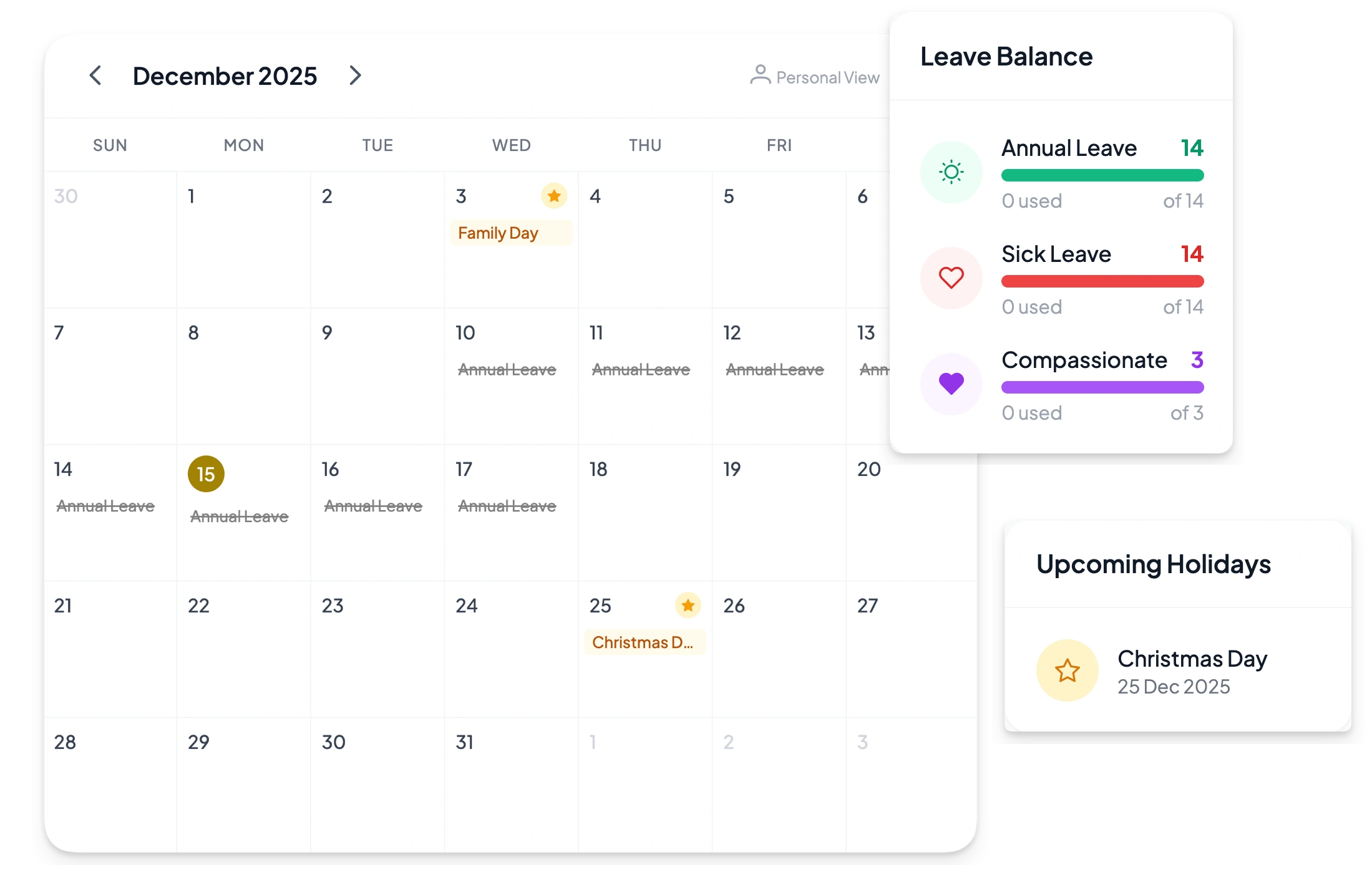
Holidays track करें, leave requests manage करें और Google Calendar sync करें — एक ही जगह। कोई lost request नहीं, outdated spreadsheets नहीं, surprise absences नहीं।
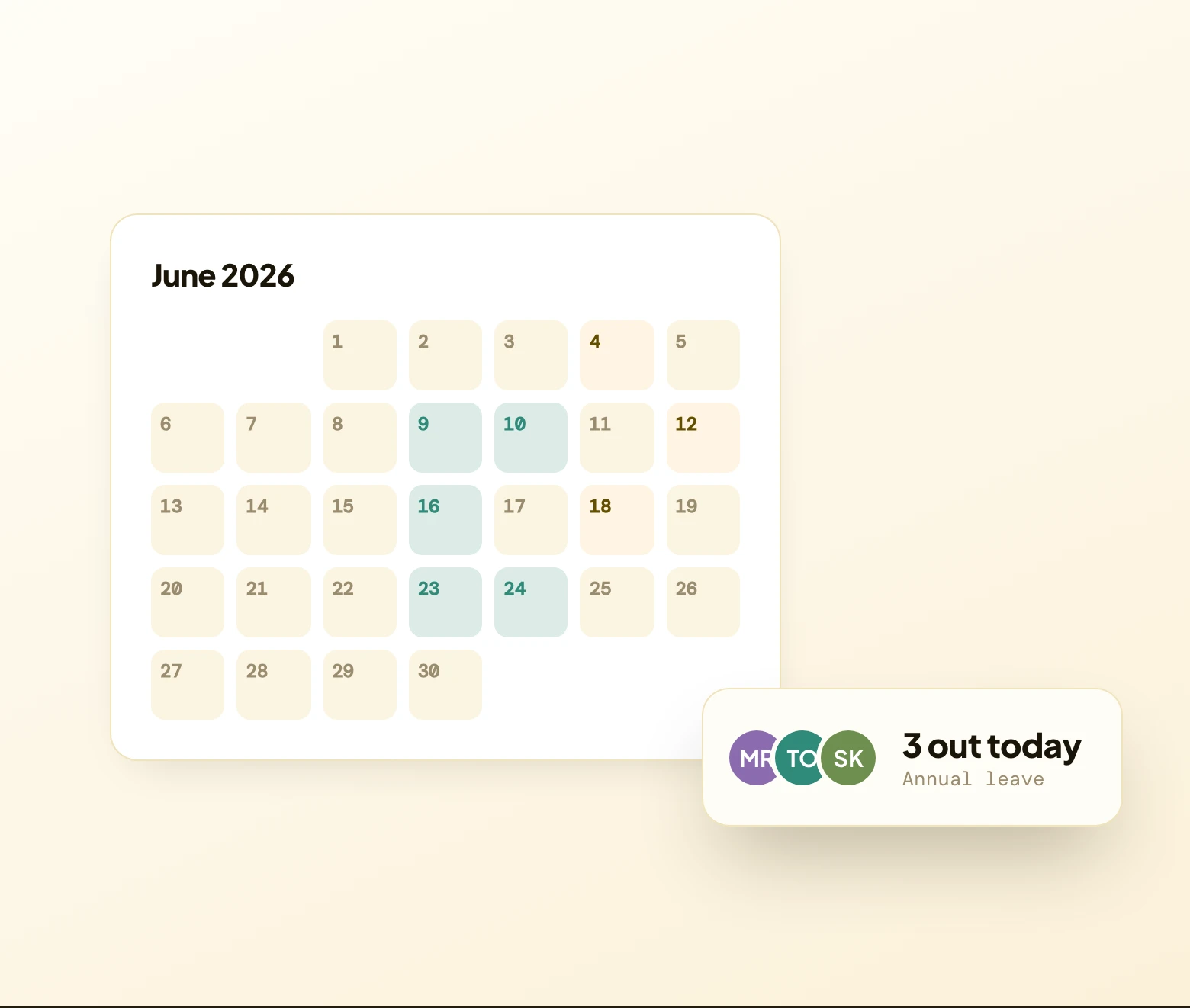
Public holidays, approved leave और team availability — एक single हमेशा-updated view में — leave workflows और Google sync के साथ जो इसे honest रखते हैं।
Spreadsheets, chat messages और email threads के बीच switching बंद करें। Public holidays, approved leave और team availability को एक single, हमेशा-updated view में देखें। Chaos के बिना सब aligned रहते हैं।
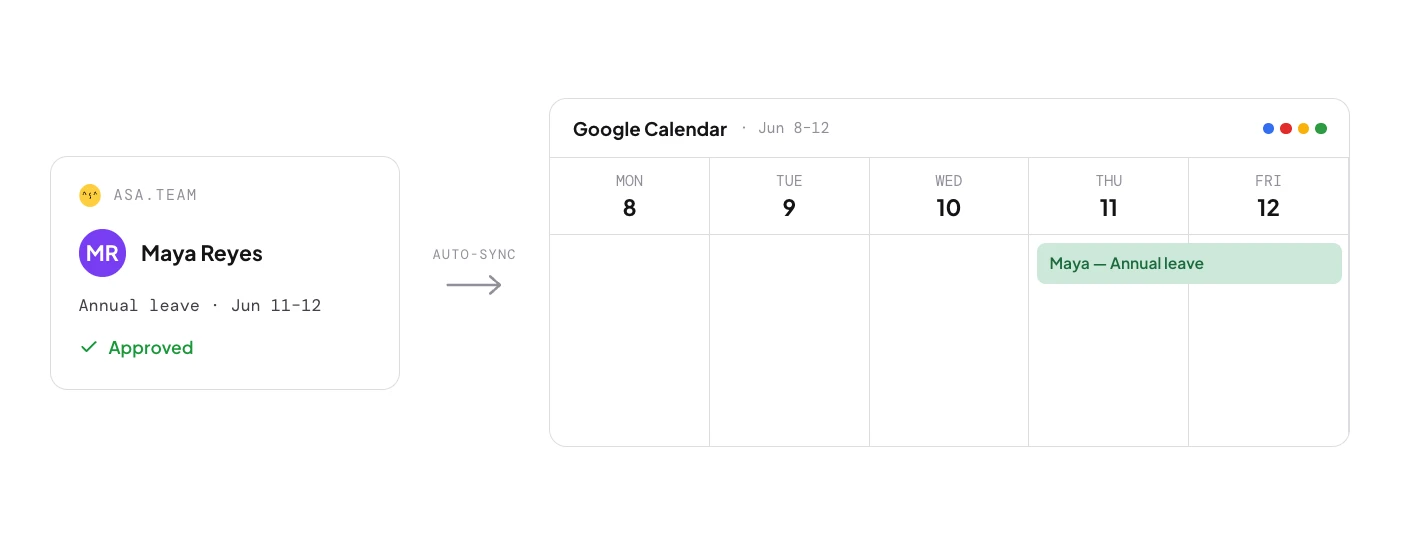
Approved leave automatically Google Calendar में sync हो जाती है। आपकी टीम की availability platforms पर real time में update होती है — कोई manual entry नहीं, कोई outdated calendar नहीं। Meetings schedule करें यह जानते हुए कि कौन actually free है।
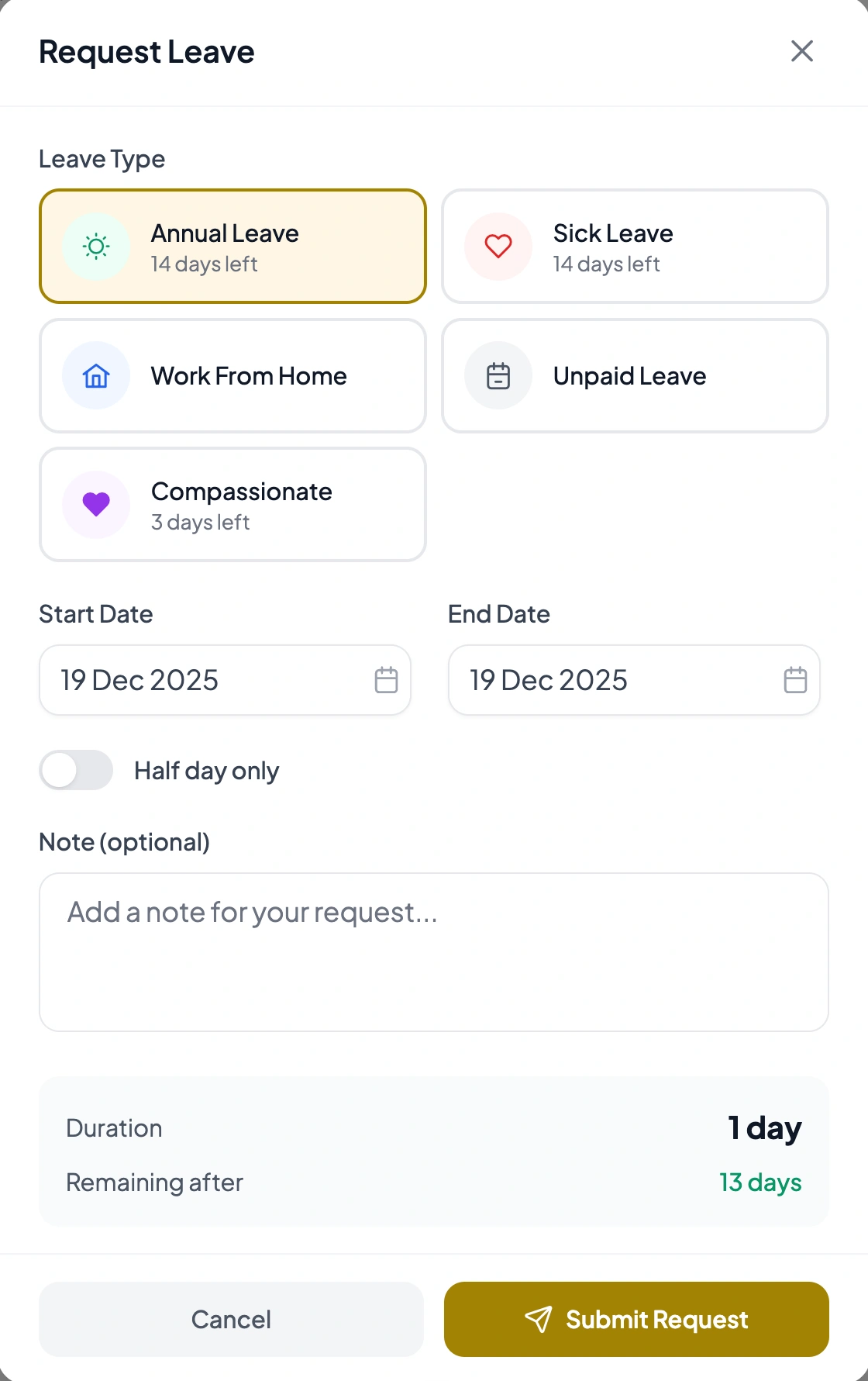
Custom leave types — annual, sick, remote, WFH, जो भी चाहिए। Admins एक click में approve करते हैं। Balances, approval status और remaining days automatically track होते हैं। कोई email chains नहीं, कोई lost requests नहीं।
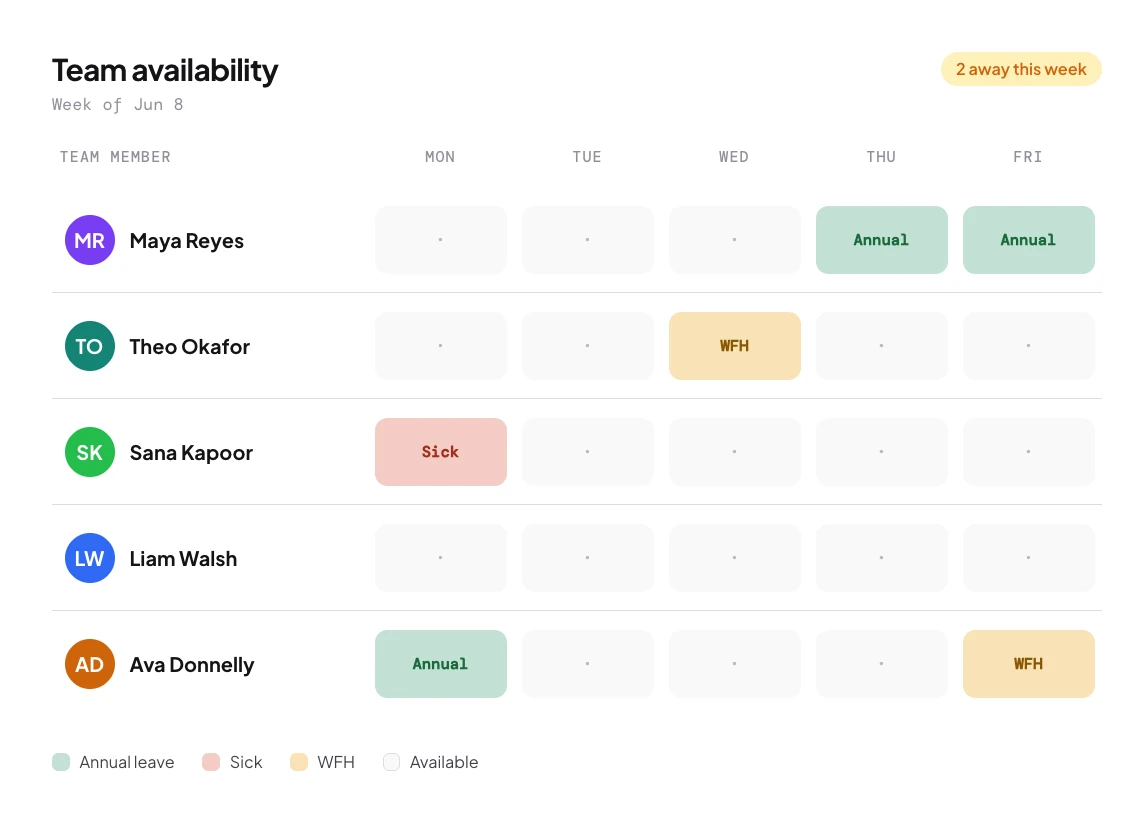
Admins एक नज़र में सबका schedule देखते हैं — person के हिसाब से grouped, leave type से filtered। Availability के आसपास projects plan करें, conflicts पहले से spot करें, और surprise absences को deadlines बर्बाद करने से रोकें।
Coordinating across regions? Try our free timezone overlap calculator.
आपकी company को जो भी custom types चाहिए — annual, sick, remote, WFH, compassionate या कुछ और। हर एक fully configurable है और अपने balance के साथ अलग track होती है।
Members कुछ clicks में dates और type के साथ requests submit करते हैं। Admins एक click में approve या reject करते हैं। दोनों पक्ष real time में status देखते हैं, और approved leave automatically team calendar पर दिखती है।
हाँ। Approved leave automatically Google Calendar में sync होती है ताकि availability platforms पर real time में update हो — meetings schedule करें यह जानते हुए कि कौन actually free है।
Admins पूरी टीम के लिए public holidays add करते हैं। वे leave और schedules के साथ दिखती हैं, जिससे सबको non-working days का complete view मिलता है।
हाँ। Balances हर leave type के लिए automatically track होते हैं। Members अपने remaining days देखते हैं; admins allocation fair रखने के लिए पूरी टीम में balances देखते हैं।
Admins को person के हिसाब से grouped और leave type से filtered एक unified view मिलता है, जिससे availability के आसपास plan करना, conflicts spot करना और surprise absences रोकना आसान होता है।
हाँ। Requests personal records या external systems के लिए PDF के रूप में export होती हैं, जिसमें dates, type, status और approval info शामिल हैं।
सभी events का एक calendar view, person के हिसाब से grouped एक team view, एक admin requests queue, और हर member के leave history के लिए एक personal view।
हाँ। Leave management, approval workflows और public holidays के साथ full calendar सभी plans पर है, जिसमें free Starter शामिल है। Google Calendar sync भी शामिल है।
Company Settings में अपने leave types configure करें, फिर members Calendar page से requests submit करते हैं और admins requests queue से approve करते हैं।

मिनटों में अपने leave types set up करें, Google से sync करें, और approvals और balances खुद manage होने दें। हर plan पर मुफ्त।