
The Microsoft Teams attendance bot with AI project intelligence
Clock in and out, generate timesheets, and request leave — right inside Microsoft Teams. And unlike other attendance apps, Asa's AI also reads your channels to surface blockers and decisions automatically.
+ Add to Microsoft TeamsEverything your team needs inside Teams
Stop context-switching. Clock in, request leave, check in on team health, and get AI project briefings — without leaving Microsoft Teams. Everything rolls up to one web dashboard.
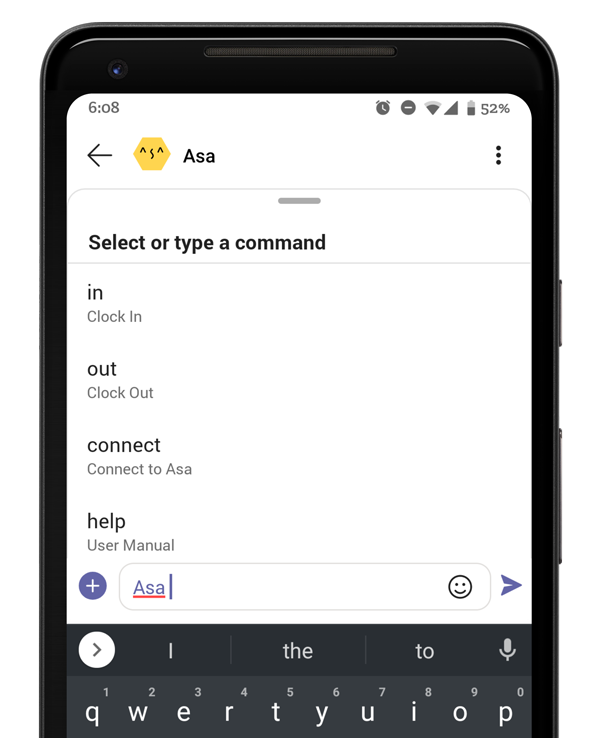
Attendance tracking in Microsoft Teams: clock in and out by message
No badge readers, no spreadsheets, no separate time-tracking app. Team members clock in from a Teams message or the Asa tab, and every entry is timestamped and logged automatically.
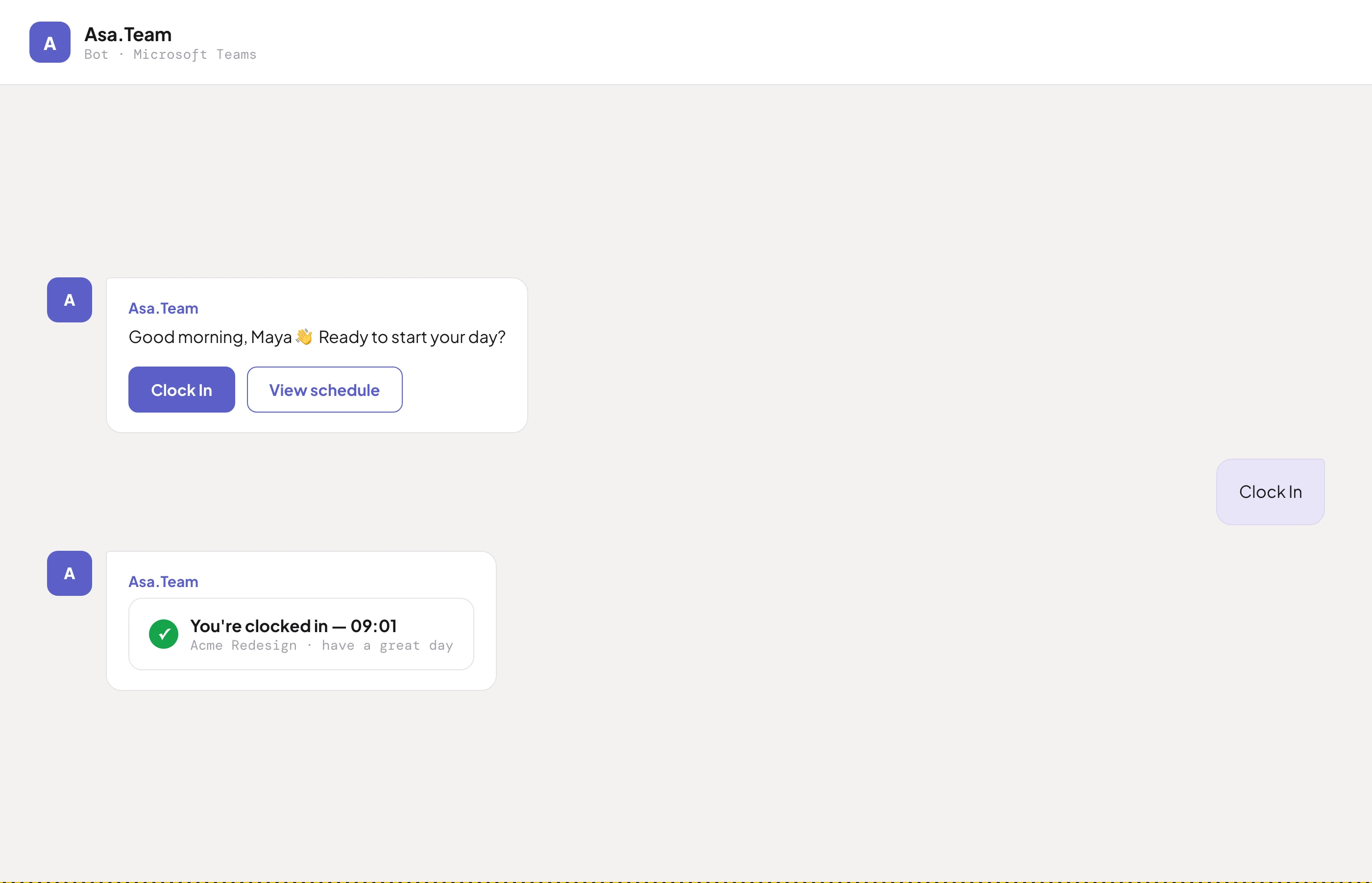
Every clock in/out is recorded with a timestamp. Daily attendance records build themselves — nothing to chase, nothing to type up.
Monthly timesheets are generated from clock data and exportable for payroll. Managers see hours per person and per project on the web dashboard.
Asa nudges people who forget to clock in or out, at the right time for their timezone — so records stay accurate without managers policing them.
Leave requests and PTO balances, without leaving Teams
Employees ask the bot for their leave balance or submit a request in plain language. Managers approve in one tap, and the shared team calendar updates automatically — no HR portal round-trips.
AI Project Intelligence
Asa reads your authorised Teams channels and automatically surfaces blockers, decisions, risks, and progress updates — so your team spends less time on status reports and more time shipping.
When a blocker is mentioned in a channel, Asa flags it — with owner and context — without waiting for a standup.
Key decisions made in chat threads are automatically logged so nothing gets lost between meetings.
Asa identifies risk signals in conversation and escalates them before they become problems.
Daily mood logging
Asa sends an anonymous daily mood check-in directly in Teams. Managers see aggregated wellness trends — not individual responses — giving early warning of burnout risk across the team.
How to add Asa to Teams
Up and running in minutes.
Install from Teams Store
Click "Add to Teams" and follow the installation flow in the Microsoft Teams App Store.
Connect your workspace
Sign in to Asa and link your Teams workspace. Authorise the channels you want the AI to monitor.
Your team starts using it
Team members clock in, log mood, and manage tasks from Teams. The AI begins analysing channels immediately.
Frequently asked questions
Team members clock in and out by sending the Asa bot a message in Teams, or from the Asa tab. Every entry is timestamped and logged automatically — daily attendance records and monthly timesheets are generated without spreadsheets or a separate time-tracking app.
Yes. Employees can ask the Asa bot for their current leave balance and submit leave requests directly in Microsoft Teams. Managers approve requests, and the shared team calendar updates automatically.
Yes — Asa has a free tier for small teams that includes the Teams attendance bot, time tracking, timesheets, AI Project Intelligence, and team wellness. No credit card is required to start.
Yes — you can install Asa directly from the Teams App Store by clicking "Add to Teams" on this page. Organisation admins may need to approve the app depending on your IT policy.
Most Teams attendance apps stop at clock in/out logs. Asa adds AI Project Intelligence: it reads the channels you authorise and automatically surfaces blockers, decisions, risks, and progress — so you get attendance, timesheets, and project visibility from one bot.
Yes. Asa coexists with other bots and apps in your Teams workspace. You can continue using your existing tools — Asa adds an AI layer on top of your conversations without replacing or disrupting anything.
Asa is also an attendance bot for Slack, Telegram and WhatsApp — one workspace, every platform your team chats on.
Put attendance, timesheets and AI insight inside Teams
Try Asa free — no credit card required. Clock in/out, leave management, and AI project intelligence in your Teams workspace.